Paypal Checkout Page

Instructions
Step 1: ADD Your ORDER To Your CART by CLICKING On Button Add to Cart Below, The CLICK would take You to Checkout Page, IGNORE the Button Add to Cart this time and go to Step 2 below.
Step 2:Now, You can see Your Order added below in the page.So to CHECKOUT Your ORDER, simply CLICK ON The PayPal ORANGE ICON at BOTTOM-LEFT of the Page Below
?? page code





 Please SELECT only the TRIAL REPORT option and NOT the DEMO Report as given in the image above on the form





















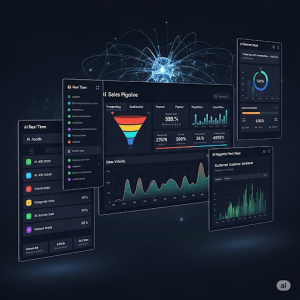

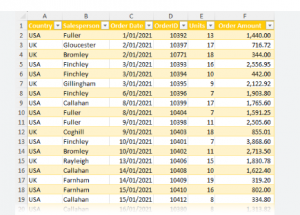 But AI doesn’t just present a table!
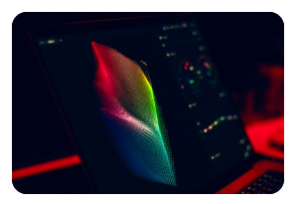
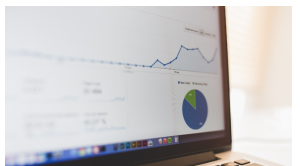
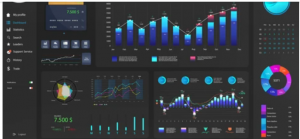
 It instead creates a multi-layered chart that overlays regional performance with lead source attribution.
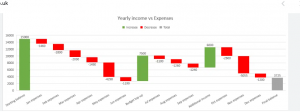 The AI then generates a Waterfall Chart (A waterfall chart is a type of data visualization that shows the cumulative effect of positive and negative values on an initial value to arrive at a final result.
)that visualizes the evolution of the deal value and a Heat map that visualizes which technical requirements are still “red” or not fulfilled.
This could be very intuitive and fill the gaps for quicker and clearer actions.
The AI then generates a Waterfall Chart (A waterfall chart is a type of data visualization that shows the cumulative effect of positive and negative values on an initial value to arrive at a final result.
)that visualizes the evolution of the deal value and a Heat map that visualizes which technical requirements are still “red” or not fulfilled.
This could be very intuitive and fill the gaps for quicker and clearer actions.



 Example 2: The supply chain and production in the industrial field